
Building an AI Content Calendar — Automate Design from Planning to Publishing
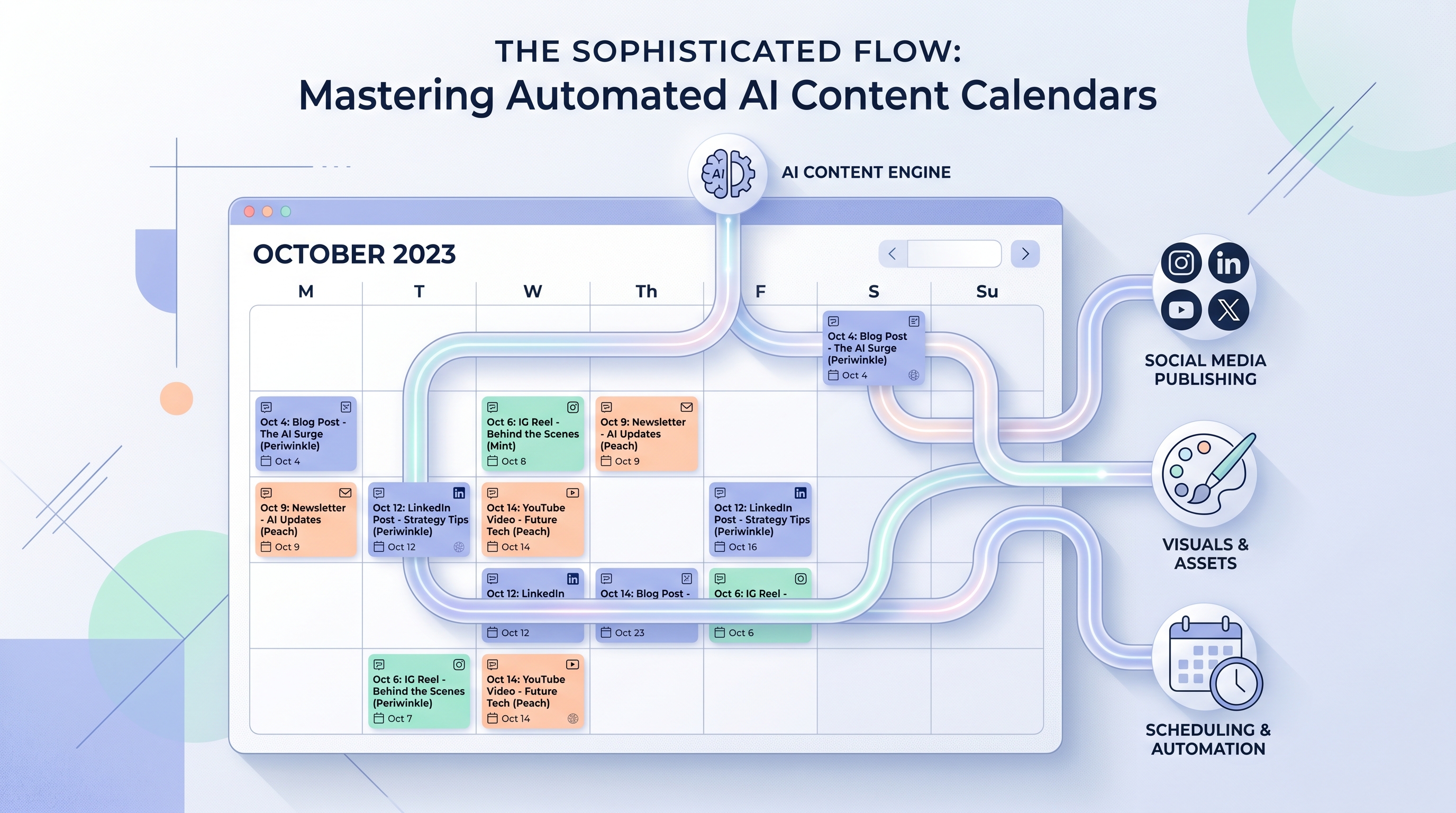
An AI content calendar is a planning system where your publishing schedule connects directly to AI tools that write copy, generate on-brand designs, and auto-post — turning a calendar of "ideas" into a calendar of finished, scheduled assets. Instead of a spreadsheet that only tells you what to post and when, an automated content creation workflow does the work between the planning row and the live post. This guide walks the full pipeline end to end: plan in a content calendar, generate copy with AI, generate designs with AI, schedule and publish, then track what worked.
The payoff of content calendar automation is simple. A typical weekly batch — write five captions, design five graphics, resize for three platforms, schedule each one — can eat the better part of a day. Wire the stages together and most of that becomes review-and-approve instead of build-from-scratch.
What an automated content pipeline actually looks like
Think of your calendar as the source of truth and everything downstream as reactions to it. A single row — "Tuesday, product feature, Instagram + LinkedIn" — should be enough to kick off copy, a design, a schedule slot, and a tracking record. The connective tissue is automation: a trigger fires when a row changes state (say, status flips to "Approved"), and each tool in the chain does its job.
Here is the pipeline mapped stage by stage, so you can see where each tool plugs in:
| Pipeline stage | Tool / action | Output |
|---|---|---|
| Plan & ideate | Notion or Airtable calendar; Campaign Conceptor AI | Dated rows with topic, platform, status |
| Write copy | AI model (ChatGPT, Claude, or in-platform) | Caption, hook, hashtags per row |
| Generate design | Meepo (brand kit applied) | On-brand poster, carousel, or ad creative |
| Format per platform | Resize/export step | 1080×1080, 1080×1350, 1080×1920 variants |
| Schedule & publish | Automation trigger + Meepo auto-posting | Live post at the planned time |
| Track performance | Platform analytics back into the calendar | Engagement metrics on the original row |
The point is that no stage starts from zero. Each one inherits context from the row above it.
Step-by-step: build the pipeline
Follow these in order. Each step says what to do and why it matters.
- Pick your calendar database — Notion or Airtable. Both give you rows, status fields, and an automation layer, which is what the rest of the pipeline reads from. Airtable's automations and Notion's button/automation features are the trigger points later.
- Define the schema once. Add fields for topic, platform, target date, status, copy, asset link, and results. A consistent schema is what lets automation reference values reliably instead of guessing.
- Fill the calendar with concepts, not just dates. Use Meepo's Campaign Conceptor AI to turn one prompt into many campaign concepts, then drop the keepers into rows. This front-loads ideation so the weekly grind becomes execution, not invention.
- Set up your brand kit before generating anything. Store your colors, fonts, logo, and guidelines in Meepo so every generated asset is on-brand by default. Doing this once removes the biggest source of design rework downstream. See how to build a brand kit from scratch for the full setup.
- Generate copy from the row. Feed the topic, platform, and audience into an AI model to draft the caption, hook, and hashtags. Tying copy to the row's fields keeps voice and offer consistent across the batch.
- Generate the design with AI. Hand the same context to Meepo to produce the poster, carousel, or ad creative — roughly 1 credit per image and about 6 credits for a 6-slide carousel. Because the brand kit is applied, the output is on-brand without manual styling.
- Format for each destination platform. Export the right dimensions per channel: 1080×1080 for the square feed, 1080×1350 for portrait, 1080×1920 for stories and reels. Correct sizing per platform is the difference between a sharp post and a cropped one.
- Wire the trigger. Configure an automation so that when a row's status hits "Approved," the schedule/publish step fires. The trigger is what makes the calendar active rather than a passive list.
- Auto-post on schedule. Use Meepo's auto-posting to push the finished asset live at the planned time so you are not manually uploading at 9 a.m. on a Tuesday. Batching plus auto-posting is where the real hours are saved.
- Loop performance back to the calendar. Write engagement numbers back onto the original row so your next planning cycle is informed by what actually performed. A calendar that records results compounds in value every month.
Where the triggers live
Most automated content creation workflow setups use one of three trigger styles. A status-change trigger (row moves to "Approved") is the cleanest for human-in-the-loop review. A scheduled trigger (every Monday at 8 a.m.) is good for recurring batch generation. A manual trigger (a button in the row) keeps a person in control for sensitive or high-stakes posts. You can mix them: scheduled generation, manual approval, status-change publishing.
If your calendar tool can't talk to your design or posting tools directly, a connector handles the handoff. We cover that wiring in depth in connecting AI design to your marketing stack with Zapier, Make, and APIs.
Connecting the pieces with MCP
There's a second, increasingly common way to drive this pipeline: from a chat. Because Meepo is also a design MCP server, any MCP-compatible AI agent — Claude, ChatGPT, Gemini, Cursor, Windsurf, or a Slack bot — can generate designs and trigger posting on your behalf. That means you can sit inside the same assistant you already use to plan, and say "generate this week's five posts from the calendar," and have on-brand assets come back.
The MCP server URL is meepo-mcp-server.meepo.app/mcp, and the setup guide lives at /mcp. This is the agentic version of the pipeline: the calendar still holds the plan, but the agent reads it and acts.
A realistic weekly cadence
Here's how the pieces connect across a normal week, with rough time estimates so you can see where automation earns its keep:
| Day | Activity | Manual time | Automated time |
|---|---|---|---|
| Monday | Plan + generate copy for 5 posts | ~90 min | ~25 min |
| Tuesday | Generate + review designs | ~2 hrs | ~30 min |
| Wednesday | Format + schedule all posts | ~60 min | ~10 min |
| Thru week | Auto-posting runs | manual uploads | hands-off |
These are illustrative estimates, not a study — your numbers depend on volume and how much you tweak each asset. The pattern holds, though: the more of the chain you connect, the more the week shifts from production to review.
One more efficiency lever: don't treat every post as net-new. A single cornerstone piece can fan out into a week of posts. We break that down in how to repurpose a blog post into 10 social media designs.
Keeping quality high in an automated pipeline
Automation multiplies whatever you feed it, including mistakes. Keep a human approval gate before anything publishes — the "Approved" status is that gate. Spot-check generated copy for claims and tone, and confirm designs render correctly at each aspect ratio before they go live. Meepo's model is AI-instant, human-polished: AI generates concepts in seconds, and on agency plans senior human designers refine within 24 hours, which is useful when a launch asset needs to be exactly right.
The goal isn't to remove yourself from the process. It's to remove yourself from the repetitive parts so your attention goes to strategy, judgment, and the few assets that truly need it.
Ready to wire design into your calendar? Sign up free — the free plan includes 20 credits and one brand, no credit card required.
FAQ
What is an AI content calendar?
An AI content calendar is a planning system, usually built in a tool like Notion or Airtable, where the schedule connects to AI tools that generate the copy and designs for each scheduled post. Rather than just listing what to post and when, it produces the actual finished assets and can publish them automatically. The calendar becomes the source of truth that drives an automated content creation workflow.
Should I use Notion or Airtable for content calendar automation?
Both work well, so pick based on how you already work. Airtable behaves like a flexible database with strong built-in automations, which suits teams managing many posts across channels. Notion is better if you want your calendar to live alongside docs and notes in one workspace. Either one can hold the rows, statuses, and triggers that the rest of the pipeline reads from.
How does Meepo fit into an automated content pipeline?
Meepo generates the on-brand designs in the workflow and can auto-post them to social on schedule. Because it stores your colors, fonts, and logo in a brand kit, every generated poster, carousel, or ad creative comes out on-brand without manual styling. It is also a design MCP server, so an AI agent like Claude or ChatGPT can drive generation and posting directly from a chat.
How many credits does generating content cost in Meepo?
As a rule of thumb, expect about 1 credit per image and roughly 6 credits for a 6-slide carousel. Videos run higher, around 13 to 19 credits each. The free plan includes 20 credits and one brand so you can test the pipeline before committing, and paid plans add more credits, brands, and features like AI video.
Can I run the whole pipeline from a chat assistant?
Yes. Meepo works as an MCP server, so any MCP-compatible assistant such as Claude, ChatGPT, Gemini, Cursor, or Windsurf can read your plan, generate designs, and trigger posting on your behalf. You connect it once using the server URL and the setup guide, then issue plain-language requests like generate this week's posts. This is the agentic way to operate the calendar instead of clicking through an interface.
What's the realistic time savings from automating my content calendar?
It varies with volume, but connecting copy generation, design generation, formatting, and auto-posting typically turns a multi-hour weekly batch into a review-and-approve session of well under an hour. The savings come less from any single step and more from eliminating the handoffs between them. Treat the estimates as illustrative and measure your own baseline, since results depend on how much you customize each asset.
Ready to automate your design workflow?
Try Meepo free — AI generates designs instantly, human designers polish to agency quality.
Start Free