
How to Connect AI Design to Your Marketing Stack — Zapier, Make, and API Workflows
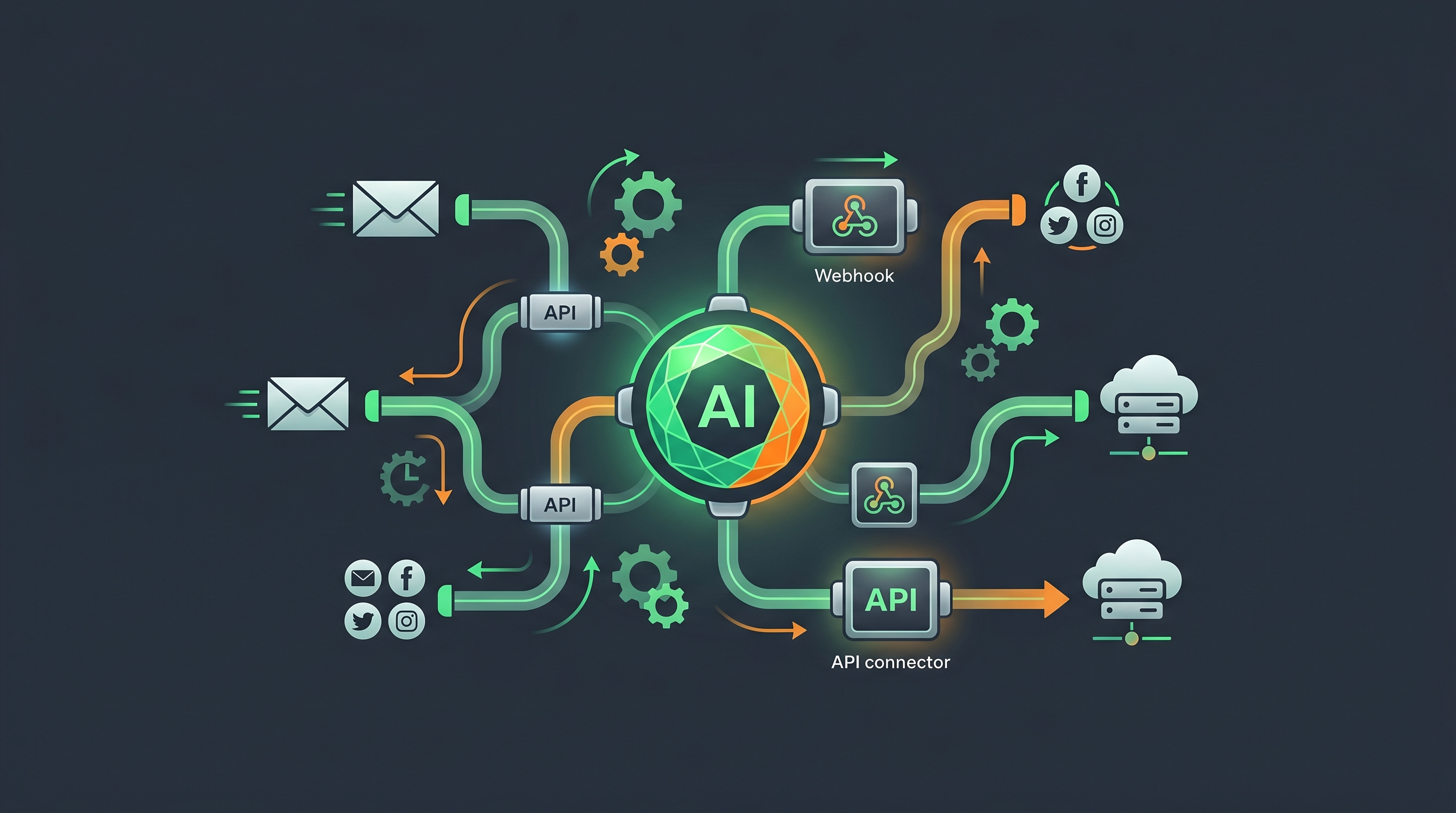
You connect AI design to your marketing stack by wiring a trigger (a new product, a published blog post, or a schedule) to an action that generates on-brand creative automatically — using Zapier or Make for no-code automation, a REST API or webhooks for custom workflows, or MCP to let an AI agent generate designs directly. The payoff is a content engine that produces on-brand assets without anyone opening a design tool. This guide covers the practical patterns for AI design API integration, how to automate your design workflow with Zapier and Make, and how marketing automation and design fit together end to end.
Why automate design generation at all
Most marketing teams already automate copy, email, and posting — but design stays manual. Someone gets a Slack message, opens a tool, makes the asset, exports it, and uploads it. That manual step is where content calendars fall behind.
When design generation becomes a step in an automation, the bottleneck disappears. A new product in your store can trigger an on-brand ad. A published blog post can trigger ten social graphics. A weekly schedule can generate a full week of content before you've had coffee. The design output stays on-brand because the platform pulls from a stored brand kit — colors, fonts, and logo — every time.
The three integration patterns
There are three ways to connect an AI design platform like Meepo into your stack, from no-code to fully agentic. Meepo exposes a REST API and an MCP server, so all three are available.
| Pattern | Best for | How it connects |
|---|---|---|
| No-code automation | Marketers without engineering help | Zapier or Make connects your apps to a webhook/API step |
| Direct API / webhooks | Engineering teams, custom apps | REST API calls and webhook triggers in your own code |
| MCP (AI-agent driven) | AI agents and chat-driven workflows | An MCP-compatible agent calls the design server in a conversation |
Each maps to a different team. Pick by who's building the automation, not by what sounds most advanced.
No-code: Zapier and Make
Zapier and Make are automation platforms that connect apps with triggers and actions. You define "when X happens in app A, do Y in app B." For design, the "do Y" step calls your design platform's API (often via a webhook or HTTP module) to generate an asset, then passes the result to a posting or storage step.
This is the right path for marketers who want automation without writing code. Make tends to suit branching, multi-step flows; Zapier suits simple linear ones.
Direct API and webhooks
If you have engineering support, calling the REST API directly gives you full control. The common shape:
POST /v1/designs
{
  "brand_id": "your-brand",
  "type": "social_post",
  "prompt": "Launch announcement for {product_name}",
  "dimensions": "1080x1080"
}
You trigger this from your own backend — for example, a webhook fired when a product is created — and receive the generated asset back to store or post. Webhooks let your stack push events to a design workflow without polling.
MCP: AI-agent-driven generation
MCP (Model Context Protocol) lets an AI agent drive the platform from a chat. Any MCP-compatible agent — Claude, ChatGPT, Gemini, Cursor, Windsurf, Manus, or a Slack bot — can request a design in plain language, and the agent calls the design server directly. The Meepo MCP server URL is meepo-mcp-server.meepo.app/mcp, and the full setup guide lives at /mcp. This is the pattern for agentic workflows where AI agents request design as part of a larger task.
Concrete example automations
These are practical flows you can build today. Each follows the same trigger → action → result shape.
| Trigger | Action | Result |
|---|---|---|
| New product added to store | Generate on-brand product creative | Ad ready to post or schedule |
| New blog post published | Generate carousel + quote graphics | 10 social assets from one article |
| Weekly schedule (Monday 6am) | Generate the week's content batch | Full calendar filled, on-brand |
| Form submission (campaign brief) | Generate concept variations | Options ready for review |
| New testimonial collected | Generate a UGC-style video or quote card | Social proof asset auto-created |
Automation 1: New product → on-brand creative → auto-post
- Set the trigger. In Zapier or Make, choose your store's "new product" event — this fires the moment a product is created.
- Map the product data. Pass the product name, image, and description into the next step so the design is specific, not generic.
- Call the design generation step. Send those fields to the platform's API (or MCP step), specifying your brand ID and the asset type — the brand kit keeps it on-brand automatically.
- Route the output to posting. Pass the returned asset to your auto-posting step or social scheduler so it publishes without a human touch.
- Add a review gate if needed. For higher-stakes posts, insert a Slack approval step before posting — automation doesn't mean unsupervised.
Automation 2: Weekly schedule → a week of content
- Create a scheduled trigger. Use the Zapier or Make scheduler (e.g., every Monday at 6am) to start the flow on a fixed cadence.
- Pull this week's topics. Read from a content calendar sheet or database so the batch reflects what you actually planned.
- Loop the generation step. For each topic, call the design API to generate the post — roughly 1 credit per image, about 6 credits for a 6-slide carousel, so you can budget the batch.
- Collect results into a folder. Drop assets into shared storage (Drive, Notion, or your DAM) for a quick scan.
- Schedule or queue posting. Hand the batch to your scheduler so the week publishes on its own. You've replaced hours of production with one scheduled run.
Keeping output on-brand at scale
Automation multiplies whatever you feed it — including mistakes. Two safeguards keep automated design trustworthy:
- Use a brand kit, always. Storing your colors, fonts, logo, and guidelines means every automated asset is on-brand without re-specifying it in each call. This is what separates reliable automation from random output. If you haven't set one up, start with building a brand kit from scratch.
- Keep a human in the loop for high-stakes posts. Route routine content straight through, but add an approval step for launches and sensitive announcements. The point of automation is removing busywork, not removing judgment.
For a deeper look at connecting AI agents to design specifically, the marketing MCP connector guide walks through agent-driven setups in more detail.
Putting it together
Start small: pick one repetitive design task — say, turning each blog post into social graphics — and automate just that. Validate the output, add a brand kit if you haven't, then expand to product launches and scheduled batches. Within a few weeks you'll have a design engine that runs on triggers instead of tickets.
If you want to wire this up, sign up free to get a brand and 20 credits with no credit card, then follow the MCP setup guide to connect your AI agent, or use the REST API and a Zapier/Make flow for no-code automation.
FAQ
How do I connect an AI design tool to Zapier or Make?
You connect them by using your store, CMS, or scheduler as the trigger and a webhook or HTTP step as the action that calls the design platform's API. Zapier suits simple linear flows and Make suits branching multi-step ones. The generated asset can then pass to a posting or storage step in the same automation, so design runs hands-free.
Does Meepo have an API for design automation?
Yes. Meepo exposes a REST API for direct integration and an MCP server for AI-agent-driven generation, so you can automate from your own code, from Zapier or Make, or from a chat-based agent. You generate on-brand assets by sending your brand ID and asset type, and the stored brand kit keeps every output consistent. The MCP setup guide is at the slash mcp page.
What is MCP and how does it help with design automation?
MCP, the Model Context Protocol, lets an AI agent drive a design platform directly from a conversation. Any MCP-compatible agent such as Claude, ChatGPT, Gemini, Cursor, Windsurf, Manus, or a Slack bot can request a design in plain language and the agent calls the server for you. It is the most natural pattern when design generation is one step inside a larger AI-driven task.
What can I automate with AI design generation?
Common automations include generating on-brand creative when a new product is added, turning each published blog post into a batch of social graphics, and producing a full week of content on a scheduled trigger. You can also generate concept variations from a campaign brief form or create social-proof cards when a testimonial arrives. Each follows a trigger, action, result shape that maps cleanly onto Zapier, Make, or the API.
How do I keep automated designs on-brand?
Use a stored brand kit that holds your colors, fonts, logo, and guidelines so every generated asset is on-brand without re-specifying it in each request. For high-stakes posts, add an approval step in your automation before publishing. Together these give you reliable, consistent output at volume while keeping human judgment where it matters.
How many credits does automated generation use?
As a rough guide, generation runs about 1 credit per image, roughly 6 credits for a 6-slide carousel, and 13 to 19 credits per video. That lets you estimate the cost of a scheduled batch before you build it, for example a weekly run of several posts and a carousel. The free plan includes 20 credits with no credit card so you can test a flow first.
Ready to automate your design workflow?
Try Meepo free — AI generates designs instantly, human designers polish to agency quality.
Start Free