
How to Repurpose One Blog Post into 10 Social Media Designs — A Content Multiplication Playbook
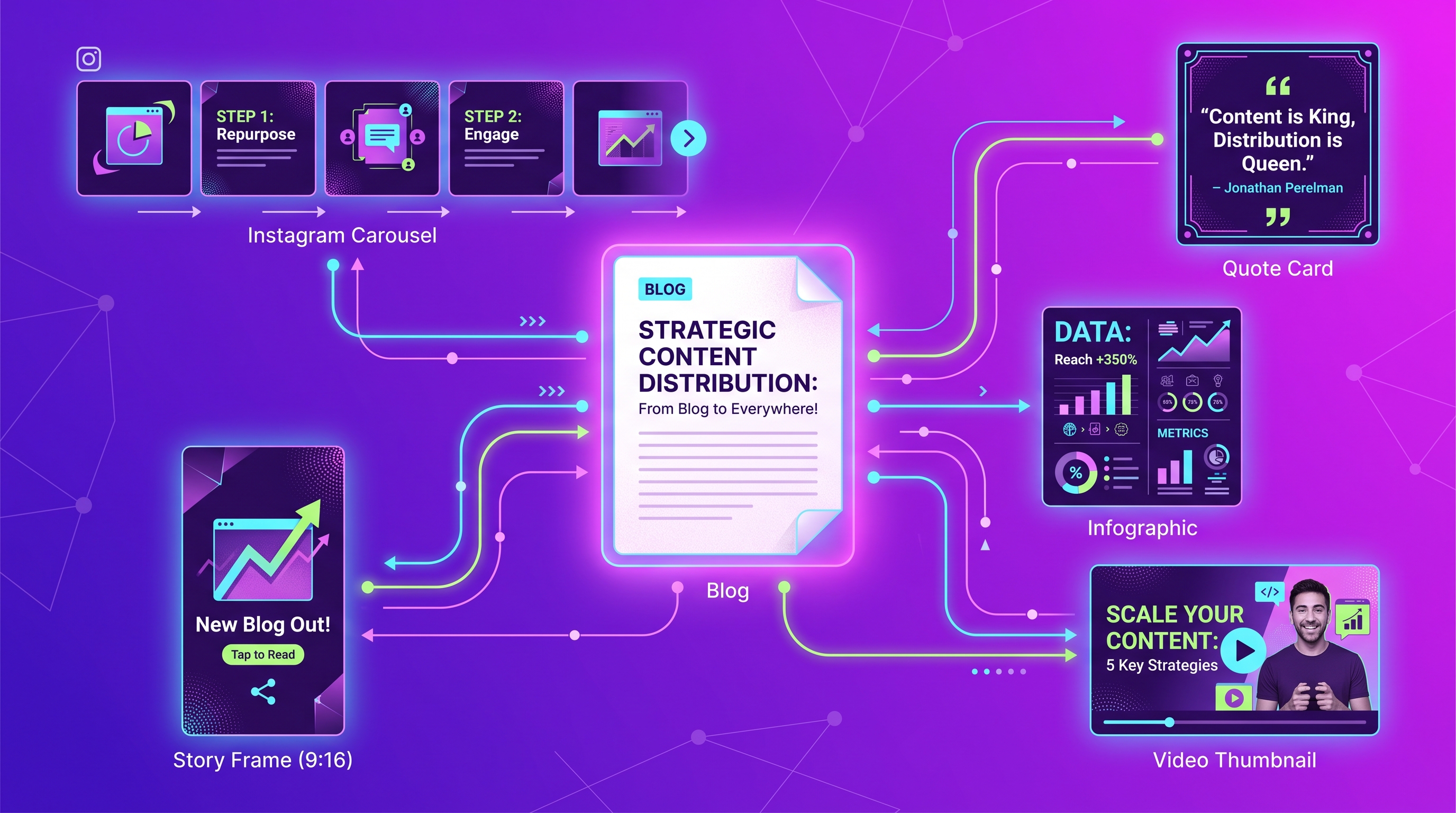
To repurpose one blog post into 10 social media designs, break the article into reusable building blocks — a headline, a statistic, a key list, a quote, a step sequence, a summary — and map each block to a platform-native asset like an Instagram carousel, a quote card, an infographic, a story, or a Pinterest pin. If you've searched for how to repurpose blog content into social media, the secret isn't writing more; it's extracting more from what you already published. One solid 1,200-word post contains enough ideas to feed a week of channels.
This is the core of a content repurposing strategy: stop treating "writing a post" and "posting on social" as separate jobs. They're the same idea wearing different outfits. Below is a concrete content multiplication playbook — one blog post, ten distinct on-brand assets, across every platform that matters.
Why repurposing beats creating from scratch
Producing a fresh design for every platform is slow and expensive. A single custom graphic from a freelancer can take a day of back-and-forth; an agency might bill for a half-day. Meanwhile your blog post already did the hard intellectual work — the angle, the data, the structure. Repurposing reuses that thinking ten times.
| Approach | Time per asset | Cost signal | Brand consistency |
|---|---|---|---|
| Brief a freelancer per asset | Hours to days | High per-piece fees | Varies by designer |
| DIY in a design editor | 20–45 min each | "Free" but slow | Drifts over time |
| AI repurposing from one source | Seconds to minutes | A few credits per asset | Locked to your brand kit |
The third row is where the multiplication happens. When your colors, fonts, and logo live in a brand kit, every generated asset inherits them automatically — so ten assets look like one campaign, not ten accidents.
The repurposing map: 1 blog post → 10 assets
Start by reading your post and tagging its raw materials. Most articles contain a strong title, one memorable stat, a numbered list, at least one quotable line, a how-to sequence, and a closing takeaway. Each of those becomes an asset.
| Blog element | Asset type | Platform | Recommended dimension |
|---|---|---|---|
| Numbered list / main steps | Carousel (slide per step) | 1080×1350 px | |
| Best one-liner or insight | Quote card | Instagram / X | 1080×1080 px |
| Key data points | Infographic | Pinterest / blog re-share | 1000×1500 px |
| Hook / opening question | Story teaser | Instagram & Facebook | 1080×1920 px |
| Title + subhead | Video thumbnail | YouTube / Reels cover | 1280×720 px |
| Argument / framework | Document carousel | 1080×1080 px | |
| Surprising stat | Single image post | X (Twitter) | 1600×900 px |
| How-to summary | Vertical pin | 1000×1500 px | |
| Post headline | Email header banner | Newsletter | 600×200 px |
| Step sequence | Short-form video board | TikTok / Reels | 1080×1920 px |
That's ten platform-native pieces from one source. Here's how to build each.
1–3: The visual core (carousel, quote card, infographic)
- Turn your numbered list into an Instagram carousel. Put one step per slide at 1080×1350 px — vertical earns more screen real estate in-feed and saves better. Why: lists are already slide-shaped, so the cognitive work is done.
- Pull your sharpest sentence into a quote card. One line, big type, your logo in the corner, 1080×1080 px. Why: square quote cards are the most-shared, lowest-effort asset you can make.
- Compress your data into an infographic. Stack three or four numbers vertically at 1000×1500 px. Why: vertical infographics dominate Pinterest and get re-pinned for months, driving traffic long after publish day.
4–6: The reach layer (story, thumbnail, LinkedIn doc)
- Make a story teaser from your hook. Use the post's opening question at 1080×1920 px with a "read more" sticker linking back. Why: stories drive immediate clicks while the topic is fresh.
- Design a video thumbnail at 1280×720 px using the title and subhead. Why: even if you film later, the thumbnail seeds a reusable visual identity for the topic.
- Repurpose your framework as a LinkedIn document carousel (1080×1080 px square pages). Why: LinkedIn's native document viewer rewards swipeable, text-forward value — ideal for B2B reach.
7–10: The long-tail layer (X image, pin, email header, video board)
- Drop your surprising stat onto an X image at 1600×900 px. Why: a bold-stat image stops the scroll where plain text wouldn't.
- Build a Pinterest pin from your how-to summary at 1000×1500 px. Why: pins are evergreen search results, not disposable feed posts.
- Cut an email header banner at 600×200 px from your headline. Why: it ties the newsletter that promotes the post directly to the post's look.
- Script a short-form video board — three to five vertical frames at 1080×1920 px following your step sequence. Why: it becomes the storyboard for a Reel or TikTok without starting from a blank page.
Generate the whole set from one prompt
Doing all ten by hand is the slow part. This is where an AI design platform earns its keep. With Meepo, you describe the source once and generate the on-brand set, because your brand kit keeps colors, fonts, and logo consistent across every dimension automatically.
Better still, you can drive it from an AI agent over MCP. After connecting Meepo's MCP server, an assistant like Claude or ChatGPT can request the full asset set in one go:
Take this blog post and produce a repurposing set on our brand kit:
- Instagram carousel (1080×1350) from the numbered steps
- Square quote card (1080×1080) from the best line
- Pinterest pin (1000×1500) from the summary
- LinkedIn document carousel from the framework
- X image (1600×900) from the key stat
Keep all assets on-brand and ready to schedule.
A six-slide carousel runs roughly 6 credits and a single image about 1 credit, so a ten-asset repurposing set is inexpensive relative to briefing each piece out. For a deeper dive on the format itself, see our guide on creating Instagram carousels that convert, and for the bigger picture, how AI agents request design.
A repeatable weekly workflow
- Publish the post, then immediately tag its elements (title, stat, list, quote, steps). Why: the structure is freshest in your mind right after writing.
- Generate the ten assets in one batch so they share a visual system. Why: batching guarantees consistency and saves context-switching.
- Stagger the releases over 7–10 days. Why: drip-feeding one post's assets keeps your calendar full without new writing.
- Track which asset type drives clicks back to the post and lean into the winners next time. Why: repurposing should compound, not just repeat.
One article, ten assets, one brand look — that's content multiplication. Do it every time you publish and a single writer can sound like a full content team.
FAQ
How many social media posts can I get from one blog post?
A typical 1,000-to-1,500-word post yields at least ten distinct assets: a carousel, a quote card, an infographic, a story, a thumbnail, a LinkedIn document, an X image, a Pinterest pin, an email header, and a short-form video board. The exact number depends on how many discrete ideas, stats, and lists the post contains. Posts rich in data or steps multiply further.
What is the best dimension for an Instagram carousel?
Use 1080 by 1350 pixels for a vertical carousel, which takes up more of the feed than a square and tends to earn more saves. Square carousels at 1080 by 1080 still work and are easier to reuse on LinkedIn. Keep one clear idea per slide so each frame reads instantly.
How do I keep all the repurposed designs on-brand?
Store your colors, fonts, logo, and guidelines in a brand kit so every asset inherits them automatically. With Meepo, the brand profile applies across all dimensions in a single generation, so ten assets look like one campaign rather than ten one-off graphics. This removes the manual drift that happens when each piece is designed separately.
Can an AI agent generate the whole asset set automatically?
Yes. By connecting Meepo to an MCP-compatible assistant such as Claude, ChatGPT, or Gemini, you can request the full repurposing set from a single chat prompt. The agent passes your source content and brand kit to Meepo, which returns each asset at the right platform dimensions. Setup instructions live on the Meepo MCP page.
How much does it cost to repurpose a post with AI?
As a rough guide, a single image runs about 1 credit and a six-slide carousel about 6 credits, so a ten-asset set stays inexpensive compared with briefing each piece to a freelancer. Meepo's free plan includes 20 credits and one brand with no credit card required, which is enough to test a full repurposing run. Paid plans add more brands and credits as your volume grows.
What types of content repurpose best into visuals?
Numbered lists, step-by-step how-tos, surprising statistics, and strong quotable sentences convert most cleanly because they are already structured for a single slide or card. Narrative or argument-heavy sections work better as LinkedIn document carousels where text can breathe. When you outline a post, leaving in clear lists and standout lines makes later repurposing far faster.
Ready to automate your design workflow?
Try Meepo free — AI generates designs instantly, human designers polish to agency quality.
Start Free